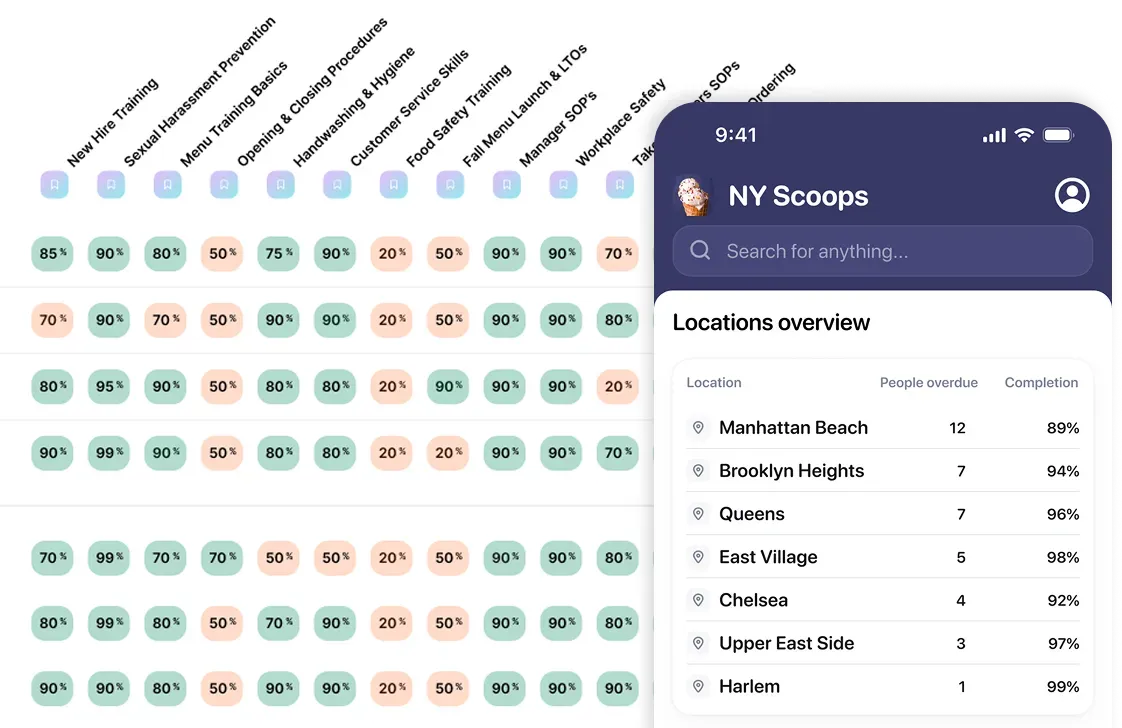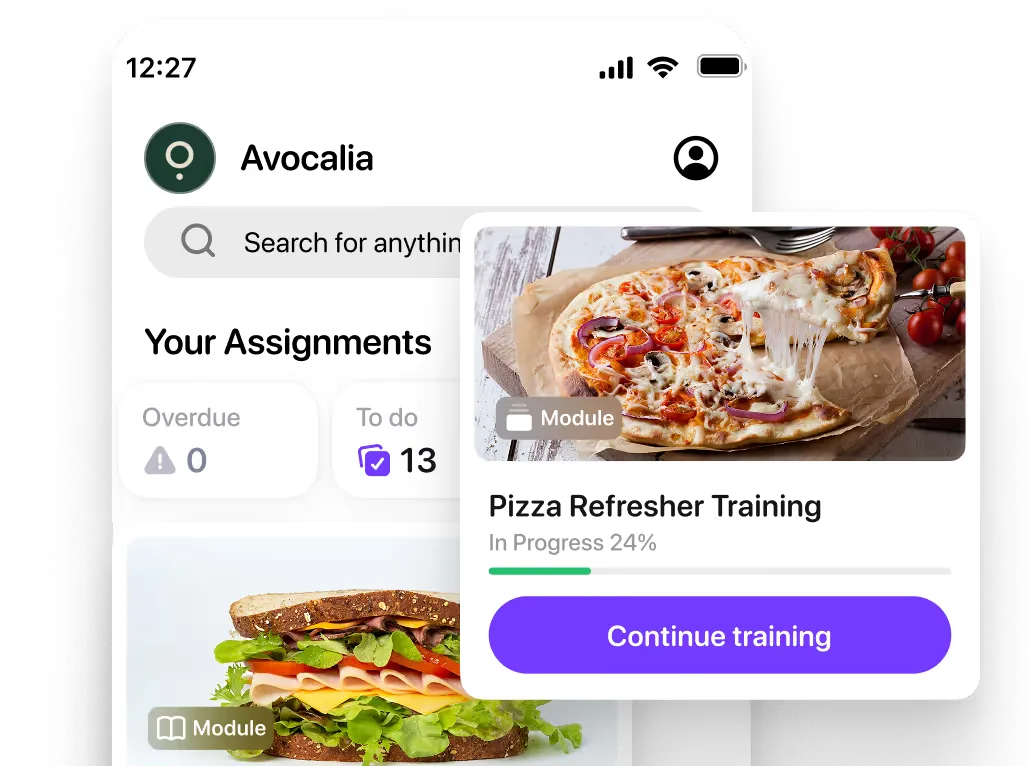

Training analytics that drive real performance
Reporting that everyone in your business can actually use, from the C-suite to the store.
Trusted by thousands of service locations across fitness, car wash, and beyond.

















Stop guessing if your training is working.
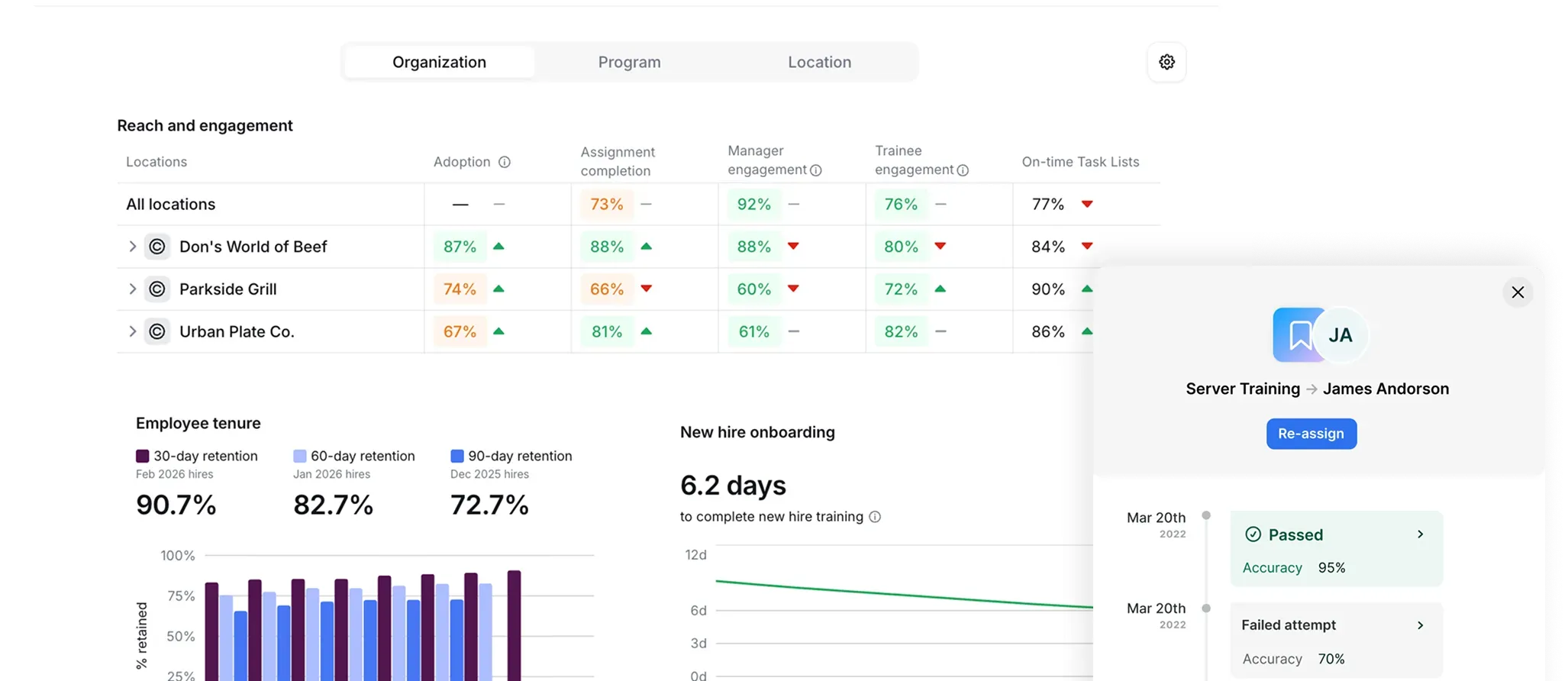
Opus reporting gives you real-time visibility into training completion, knowledge gaps, and performance trends—so you can take immediate action where it matters most.
How training analytics works in Opus
Track results
Go beyond completion rates. Track engagement, onboarding speed, retention, and operational consistency across teams, locations, and brands.

Identify key opportunities
Spot performance patterns, knowledge gaps, and content effectiveness to focus on the big opportunities.

Drive accountability
Equip field leaders with the leaderboards, completion grids, and reports they need to drive accountability and celebrate wins on the ground.
What teams see with Opus Reporting
25%
faster ramp time for new hires
Chief Strategy Officer
3.6x
increase in car wash membership sales
Co-Founder & COO
10%
reduction in food waste
Director of Training & Recruiting
Why Opus excels in training analytics
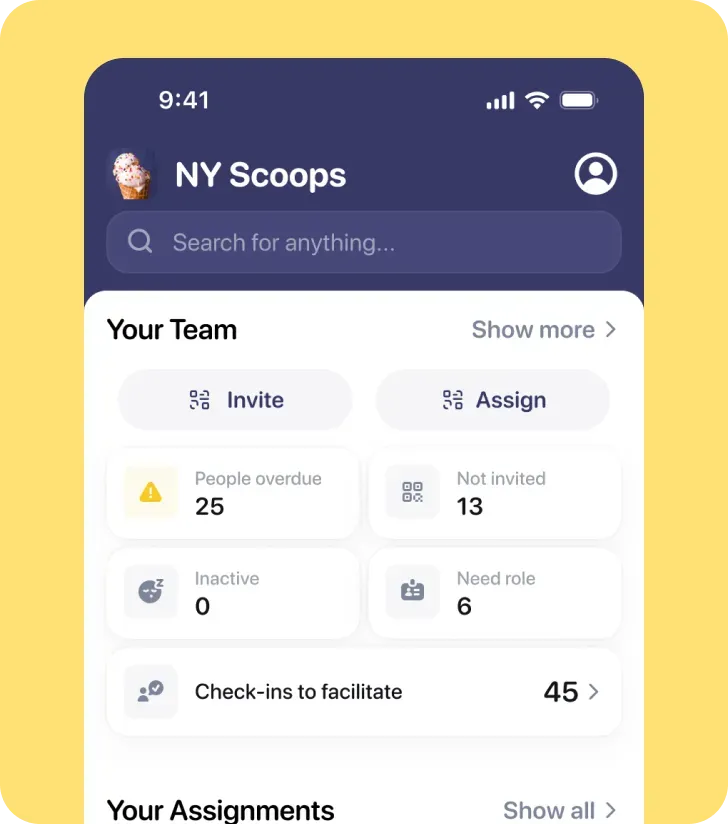
Reporting tailored for managers
Deliver what admins and managers need—from completion tracking to status updates—keeping everyone focused on their job.
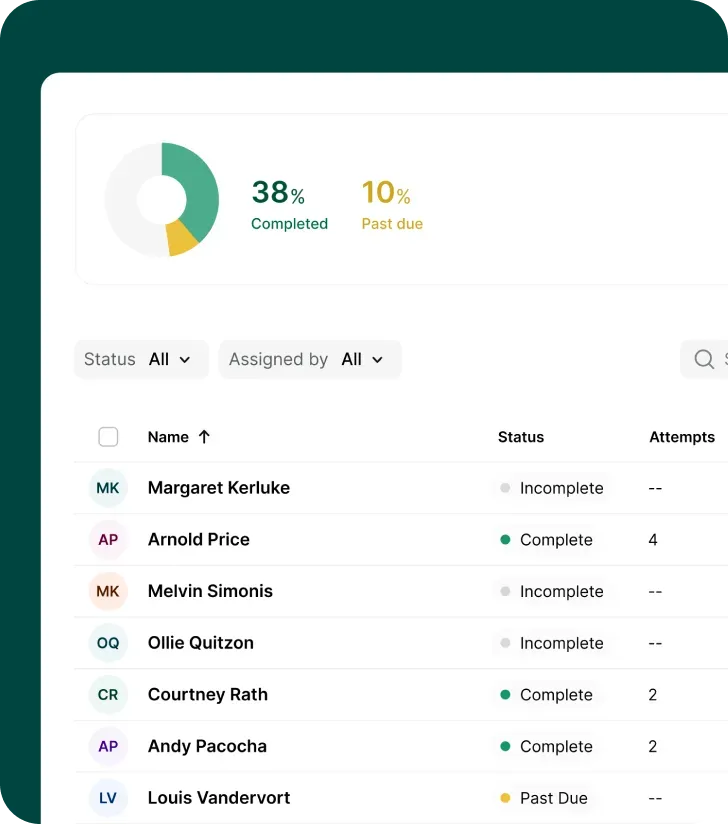
Real-time performance insights
Monitor training activity as it happens with instant updates on completion status, assessment scores, and engagement metrics across your organization.
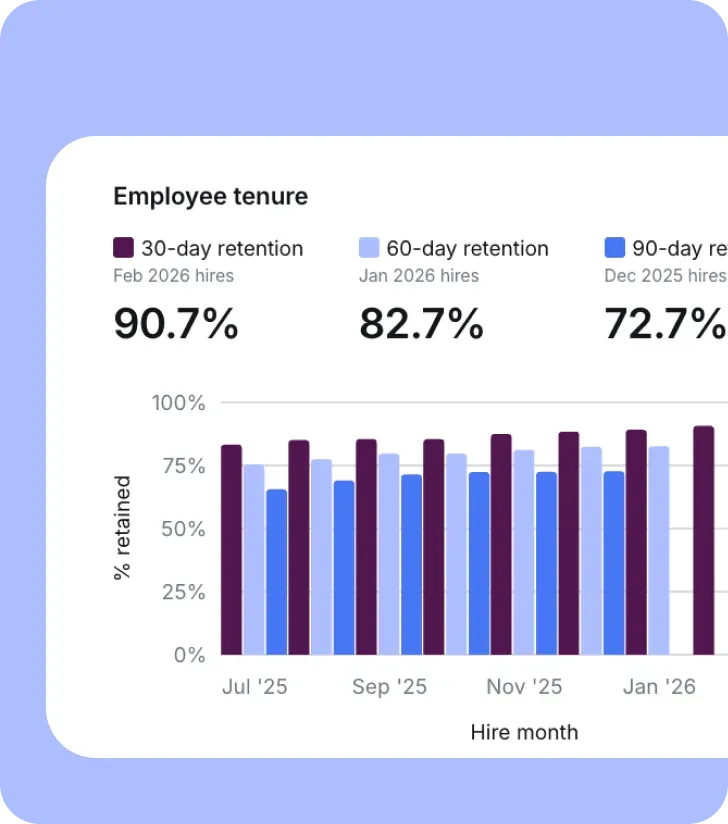
Business KPI tracking
Tie training to the metrics that matter — onboarding speed, 30/60/90-day retention, and consistency across locations, and more.
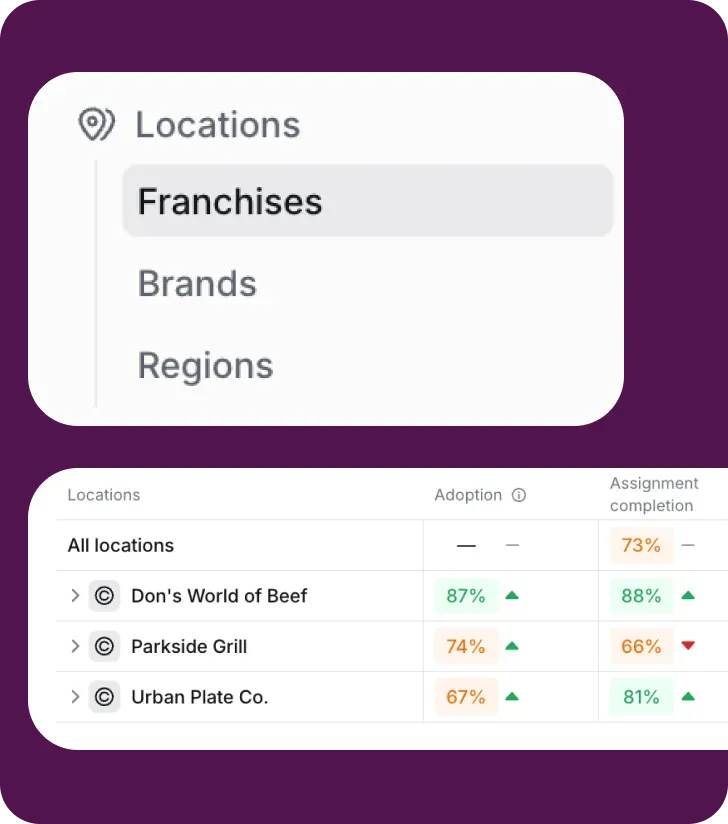
Built for multi-brand complexity
Roll up performance across brands, franchises, and regions, exactly how your business is structured. Compare segments, drill down, see the full picture.
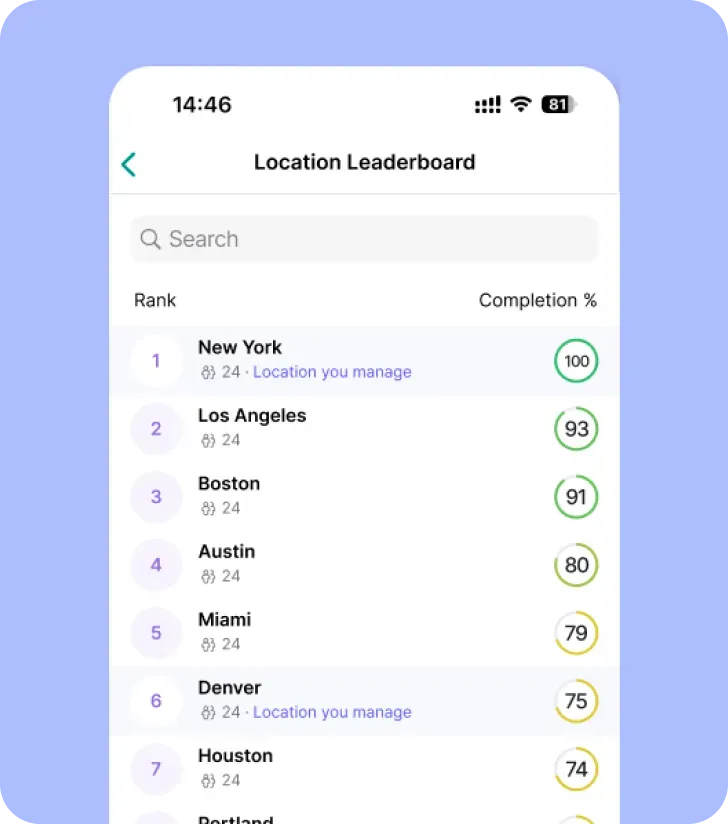
Multi-level leaderboards
Foster healthy competition with transparent leaderboards at store, manager, and trainee levels. Visibility drives accountability.
AI-powered insights
AI flags retention gaps, unanswered questions, and LTO weak spots. Know where to focus without manually reviewing every report.
Frequently asked questions
What types of reports are available in Opus?
Opus includes training completion grids, compliance reports, resource usage analytics, task list tracking, and multiple leaderboards. Plus, our custom report builder lets you create the views you need.
Can field managers see reporting for just their locations?
Absolutely. Role-based permissions ensure managers see data only for their locations or teams, while multi-unit leaders can view aggregated data across their territory.
How do I share reports with stakeholders?
Reports can be exported or scheduled for automatic email delivery—making it easy to keep everyone informed.
Can I track which languages my team is using?
Yes! Our demographic insights include language preferences, giving you valuable information about your workforce that can inform both training and operational decisions.
How does reporting help with compliance requirements?
Opus provides audit-ready documentation of all training completions, certifications, and acknowledgments—with timestamped records and electronic signatures when needed.
Connect the dots.
See what else supports day-to-day learning.