Every multi-unit operator faces the same challenge: how do you keep dozens (or hundreds) of locations aligned on what matters most—without drowning everyone in information overload?
Company newsletters cut through the noise. When done right, they create consistency, reinforce training, and build culture across distributed teams.
We sat down with training leaders during our January Office Hours to answer: What goes in them? How often? And who has time to create them?
The ROI of Employee Newsletters: What Matters Most
Newsletters in your training platform create stickiness, control information flow, and reinforce learning. They build culture through recognition, empower managers with reference materials, and give teams one portal for everything.
Whitley LaMontagne, Director of Training at gusto!: "We had a communication gap. Store level leaders were fine—multiple touch points. But it wasn't getting down to team members. They need to get as much communication as possible on a macro level."
Hannah Taylor, Training Coordinator at Sounds Fun Entertainment: "It was hard to know if people were reading emails. People came back with questions. With Opus, we track if they actually opened it."
Newsletter Content Ideas: What to Include
With so much going on, it’s easy to overwhelm with information. Curate what matters right now—not every piece of information floating around.
Common Categories:
- Updates - operational changes, new procedures, upcoming promotions
- Recognition - team wins, location spotlights, employee achievements
- Monthly Reminders - recurring priorities from departments, recent trainings
- Fun Content - contests, trivia, Easter eggs
Newsletter Delivery: Platform Benefits Over Email
Who receives your newsletter isn't just a distribution decision—it fundamentally shapes what you include, how you write it, and what actions you expect afterward. Some brands focus exclusively on location leaders who cascade information during pre-shifts, while others push directly to hourly team members to close communication gaps. Here's when each approach works best.
→ Manager focused: these work when location leaders cascade information during pre-shifts, need talking points before updates reach hourly teams, or content requires leadership context first.
→ Team Member focused: these work to close communication gaps between leadership and frontline staff, reduce manager burden of repeating information, or share time-sensitive updates that can't wait.
💡Whitley: "Our audience is always on their phone. GMs ask in daily shift huddles: 'Did you read your newsletter?' before answering questions because marketing promotions are there."
Newsletter Cadence: How Often Should You Send One?
There’s no right answer here — find what works for your organization—weekly to monthly depending on operational needs, content volume, and team capacity.
→ Weekly works for: Frequent updates (e.g. menu changes), or to align on manager pre-shift planning cadence
→ Monthly works for: Stable operations, substantial content needing compilation time
💡Real examples:
→ "We send weekly at 3pm Wednesday. GMs finish admin by 4pm and read it then—one of the things they look forward to"
→ "Biweekly for support offices (Fridays), weekly for shop teams (Tuesdays)"
→ “Monthly (re)cap” to all store employees
Format: Why Opus Beats Email
Newsletters in your training platform provide tracking, feedback loops, searchability, and integration that email can't match. Opus customers shared why they send newsletter through Opus:
✅ Tracking: "Usually within the first hour we see engagement."
✅ Feedback: Hannah: "With courses, there's a rating option and space for notes. We get feedback like 'Here's a question' and reach out to that store."
✅ Search: Ask Opus makes newsletter content instantly accessible, not buried in email threads.
✅ Integration: Link to courses, use knowledge checks to reinforce content. One operator includes a 10-question quiz with gift card prizes.
Spotlights: Three Brands, Three Different Approaches
Same Opus training platform, different strategies—here's how gusto! and Sounds Fun Entertainment structure their newsletters to fit their operational needs.
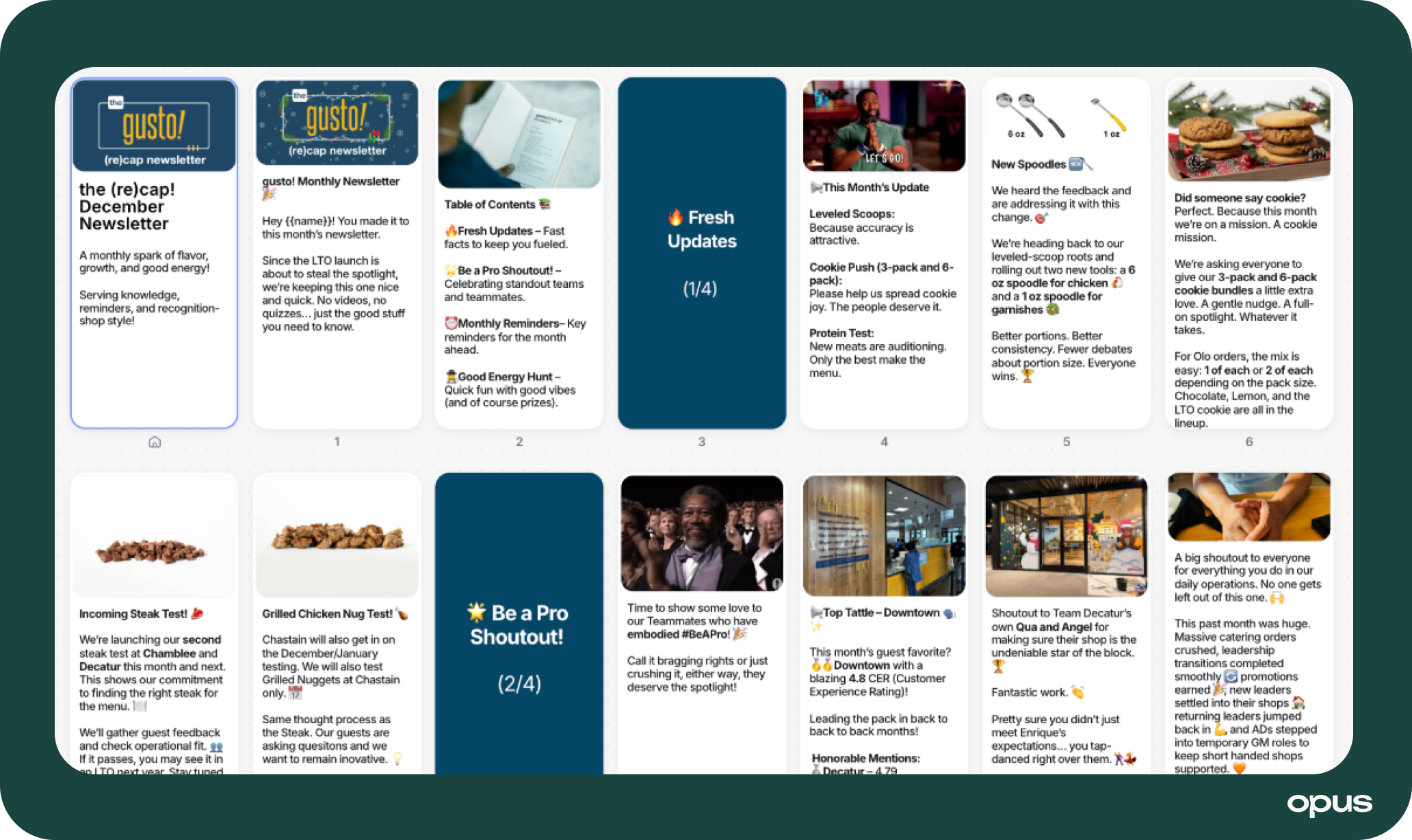
gusto! - Team Member Focus:
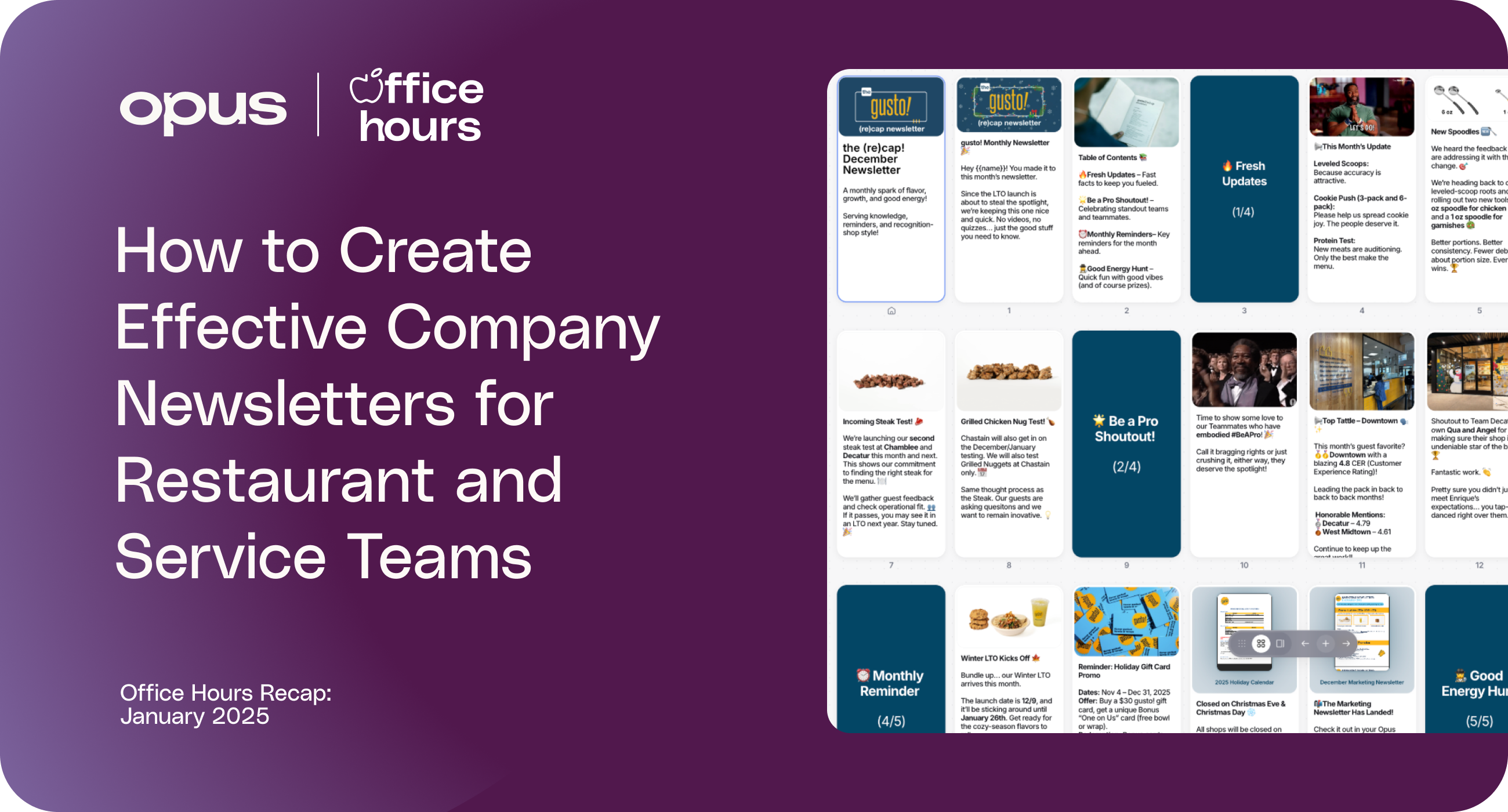
gusto! emphasizes reinforcing what team members may be asked in guest interactions.
- Monthly "Recap" to all team members
- Four categories: Fresh Updates, Be a Pro Shout Out, Monthly Reminders, Good Energy Hunt
- 10-question follow-up quiz with gift card drawing
- Uses a template format for consistency
Sounds Fun Entertainment - Team Member Focus:
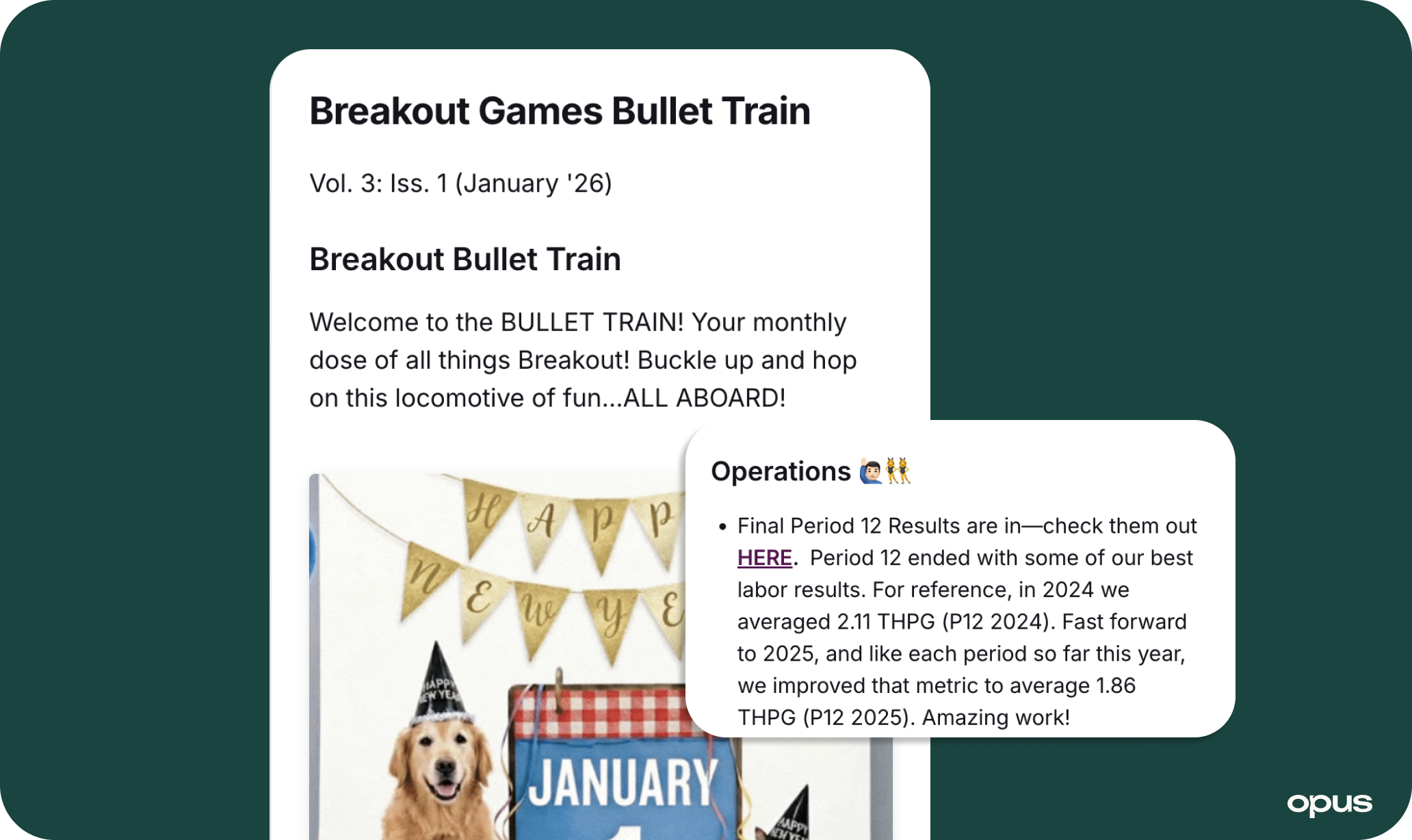
The Breakout and Activate teams include scannable categories, mix business with fun content, collect feedback, reinforce training, recognize digital supports (not replaces) in-person.
- Monthly "Bullet Train" or weekly "Behind the Games" to managers
- Six departments submit big announcements
- Breakout’s newsletter is written in Opus Docs and added as resource in a course to collect feedback
- Library access for staff reference
- Activate is using newsletters to build the Opus habit before broader training rollout
The Workflow: Building Newsletters
Every department has information to share out. Training teams naturally filter what information matters most, when it goes out, and how it's delivered—preventing teams from drinking from a fire hydrant.
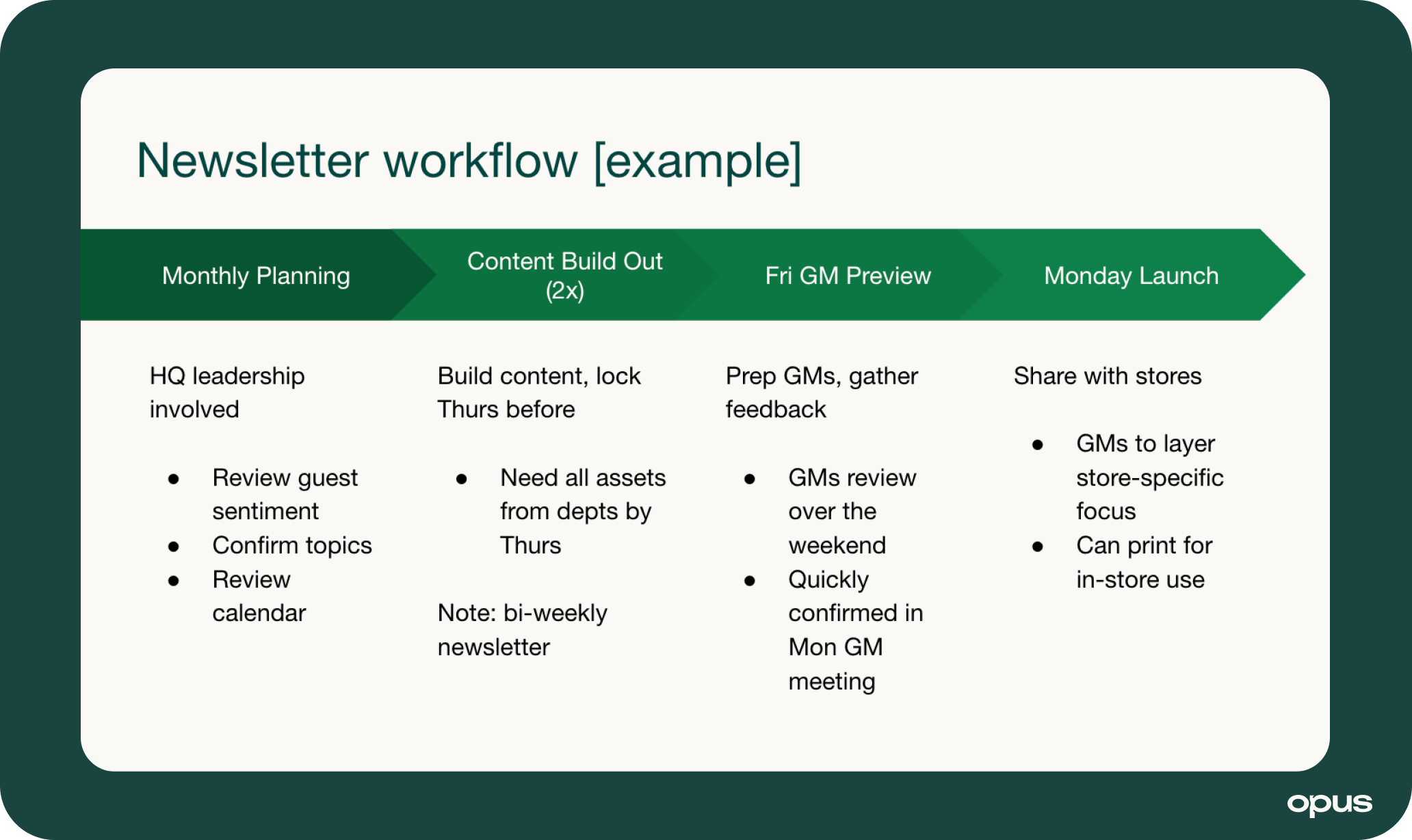
Here’s an example of a monthly planning process for biweekly:
Monthly Planning:
→ Week 1 Mon: Review calendar, confirm topics, identify time-sensitive needs
→ Week 1 Tues-Thurs: Departments submit content, training compiles and formats
→ Week 4 Friday: Share draft with GMs for feedback, make adjustments
→ Week 5 Mon: Launch to intended audience, monitor feedback
Why This Works: GMs are involved before content goes live. They can confidently share instead of feeling caught off guard. Last-minute updates have room to fit.
Reducing Your Workload
The biggest barrier to sustainable newsletters isn't content—it's the time it takes to chase down submissions and compile everything. Here's how operators streamline the process so newsletters don't become a monthly headache.
- Establish Standing Deadlines
- Use Collection Tools: "Microsoft form up all the time. Department heads fill it out until three days before we post. They choose which newsletter it goes to."
- Create Running Lists: Keep recurring reminders and evergreen content. "When submissions are light, dip into that bag—things they need to know all the time."
- Build Templates: Consistent categories reduce decision fatigue. "I have a template with key topics. Quick to populate."
💡 Provide Examples: "When I don't get responses, I send examples. We don't need big updates every week—reminders or celebratory things. That creates inspiration."
Newsletter Best Practices
Keep It Succinct: Under 5 minutes, scannable categories, one idea per section
Make It Fun: Recognition, trivia, Easter eggs, employee spotlights, pet corners
Use Video: Department heads delivering updates, quick leadership messages—authenticity beats production value
Think Multi-Channel: Newsletters for curated digests, messages for urgent updates—don't duplicate
Don't Overdo It: If consistently too long, increase frequency. Quality beats arbitrary consistency.
Don't Substitute for In-Person: Newsletters do heavy lifting, managers reinforce during huddles. Digital supports, doesn't replace.
💡 Want more ideas? We’ve outlined 52 ideas to make company newsletters engagement. Read On >
Key Takeaways
Three actions this week:
- Map current channels - List every way departments share updates. Identify what consolidates into one newsletter.
- Choose audience and cadence - Managers or team members? Monthly or weekly based on content volume?
- Set up simple collection - Standing deadline or shared form where departments submit content. Test one cycle.
Want to see these examples in action? Join our next Office Hours where we workshop real newsletter builds. See calendar >

.jpeg)