Audits find problems, but the problems rarely get fixed. Opus tracks every fix to done, in the same app your team already uses.
Tasks made simple, results made clear
Training teaches the why. Checklists guide the how. Opus connects both — with mobile-first task management built for hospitality.

Turn every finding into a verified fix with Audits
Trusted by thousands on the frontline
















Most audit tools surface findings. But the findings don’t get fixed.
Opus gives your field team a scored inspection with follow-up built in. The auditor has full ownership to assign and verify each fix, so it gets done right.
HOW IT WORKS
How audits work in Opus
Build and schedule audits
Create scored assessments with required photos and passing thresholds. Set a schedule per location, from daily to annually.
Complete on-the-go, assign fixes on the spot
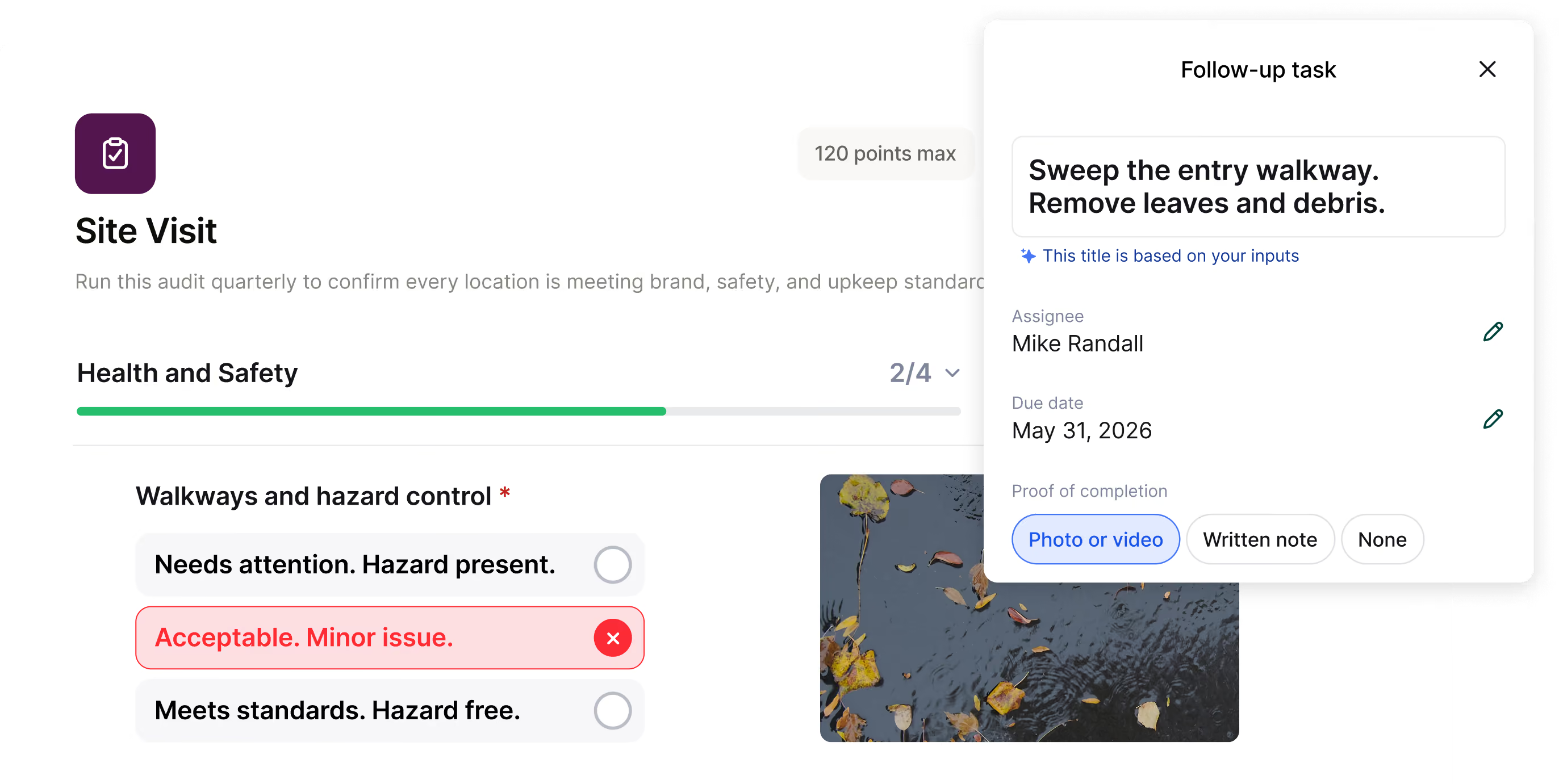
Auditors score each step on their phone or tablet, flag issues, and assign a follow-up Task before leaving.

Track fixes and report across all locations
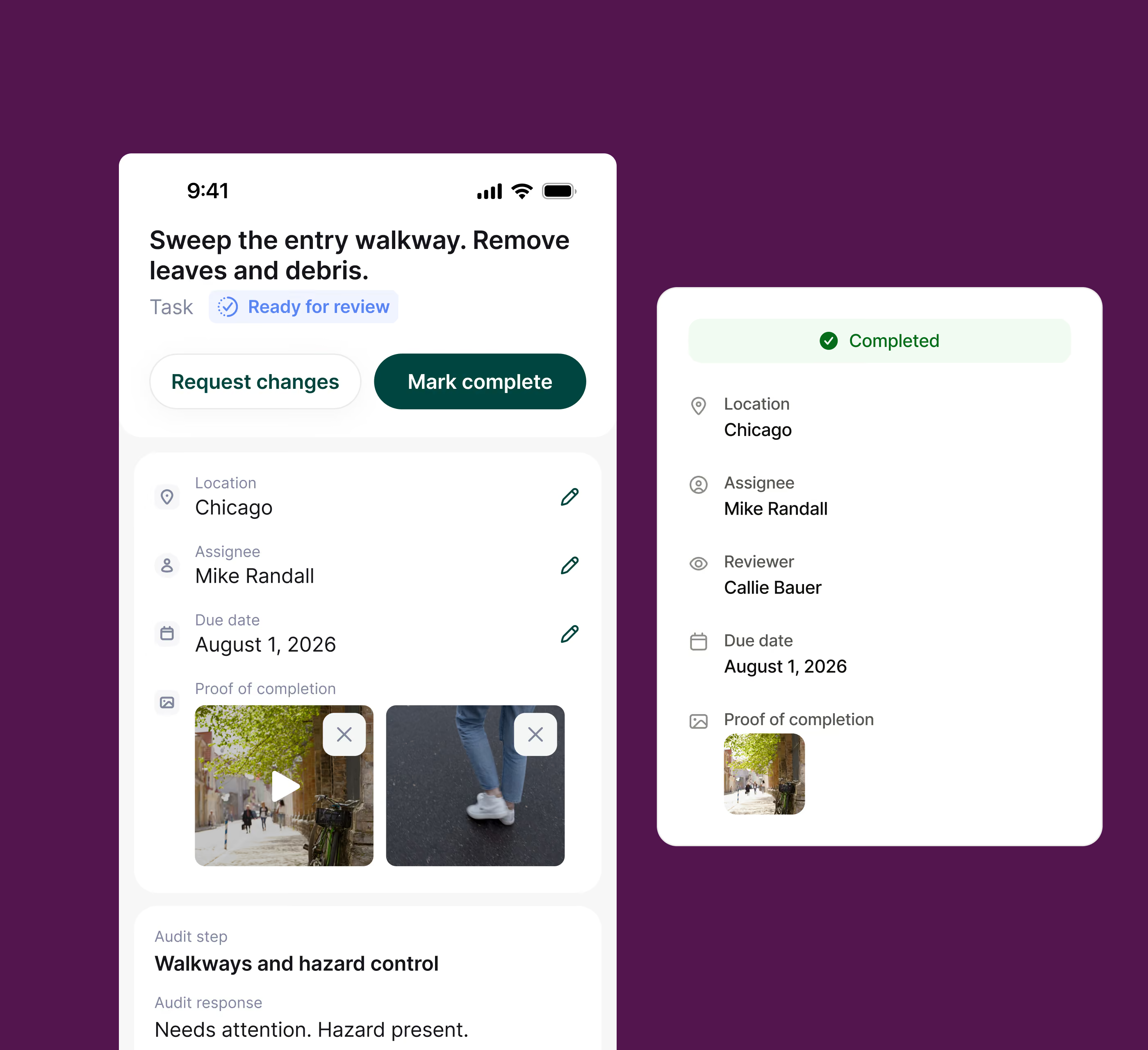
Store teams document their fix and submit for review for auditor approval. Admins see scores, completion status, and follow-up Tasks across every location.
WHY OPUS
Built for field auditors
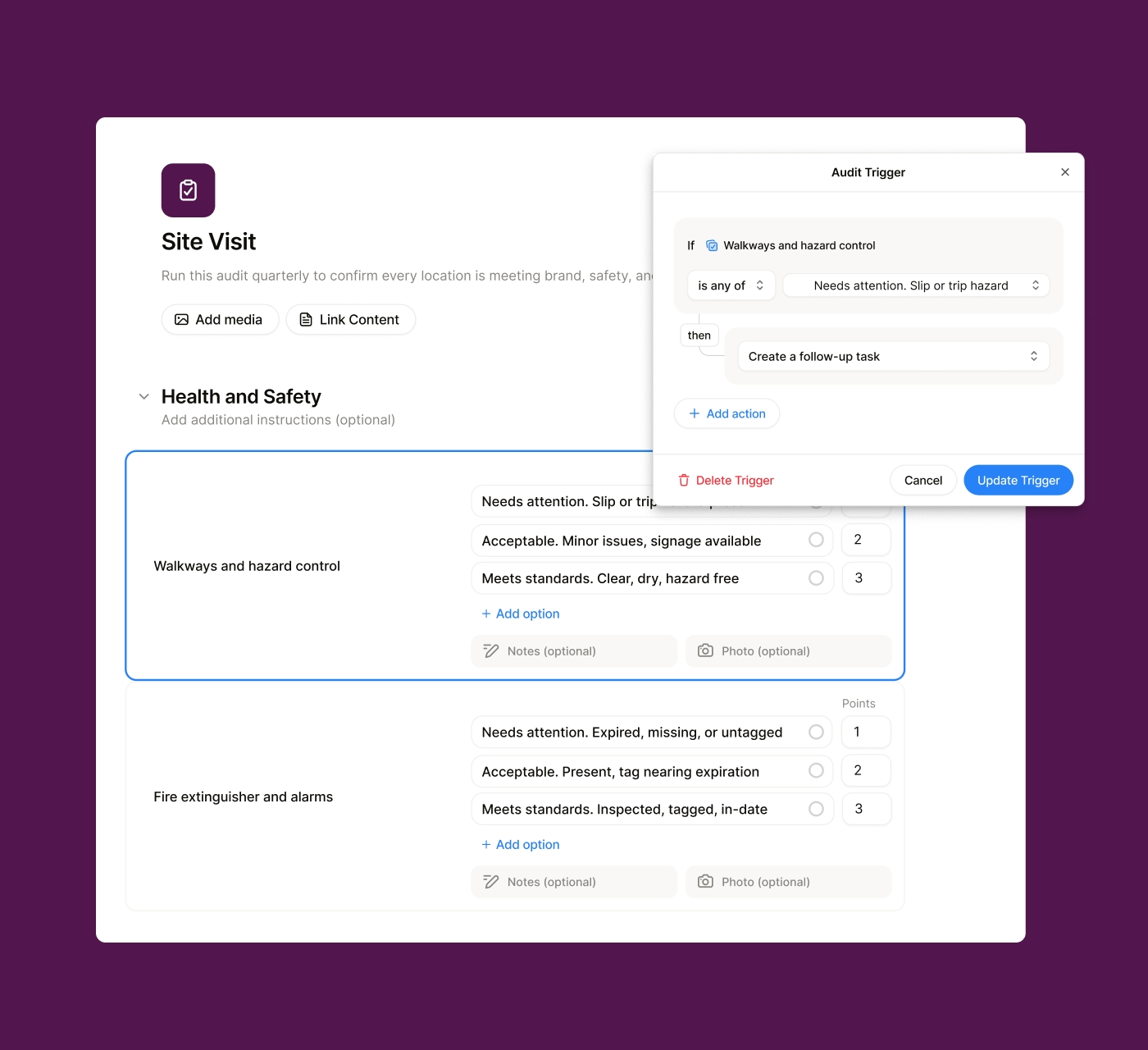
Create and schedule audits with AI
Admins drafts the sections and scored steps quickly with the help of AI. Set the passing threshold and schedule per location.
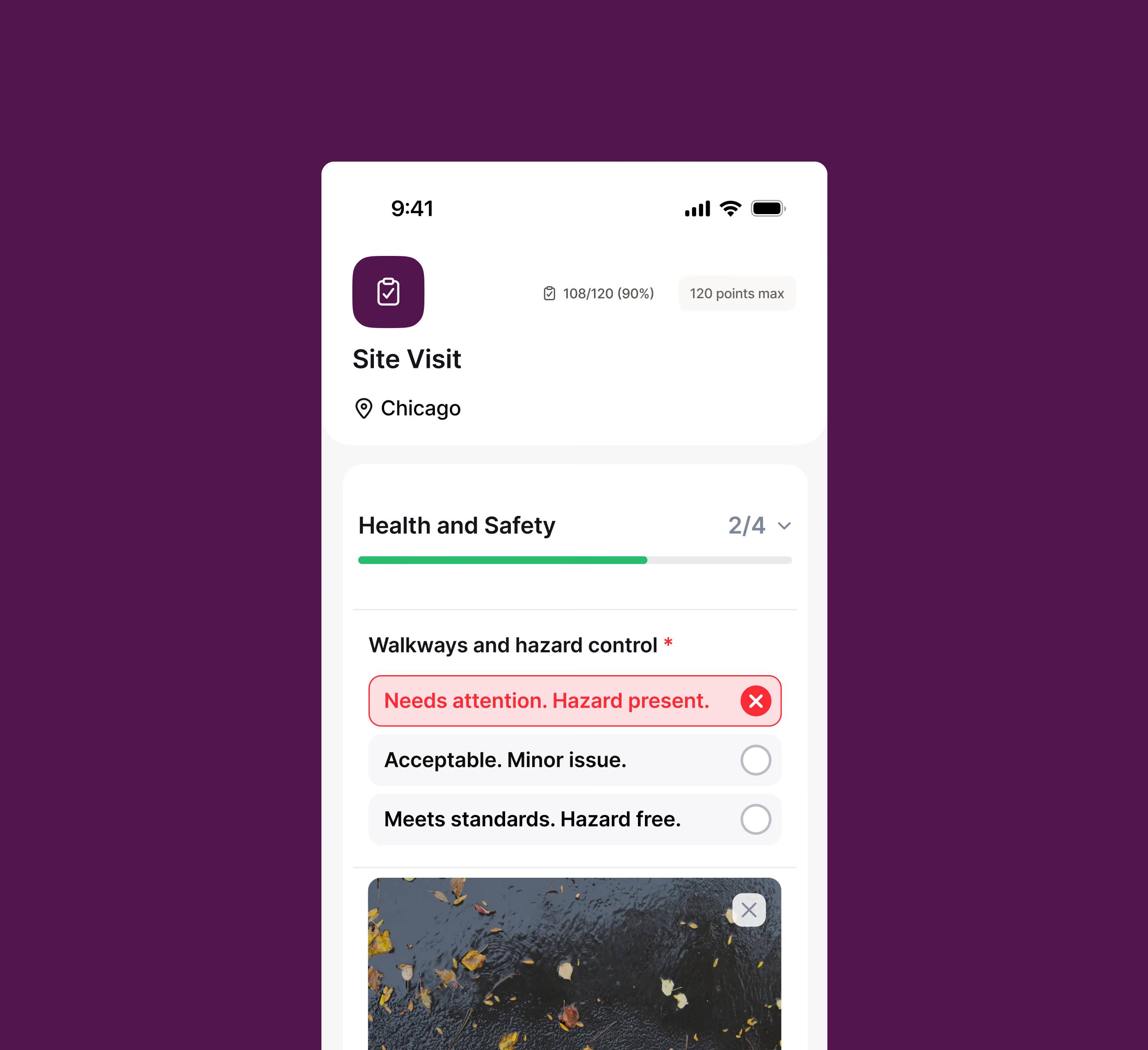
Score audits on mobile easily with photo proof
Opus matches recommendations to content in your existing training library, and drafts the fix for you.
Assign each fix on the spot
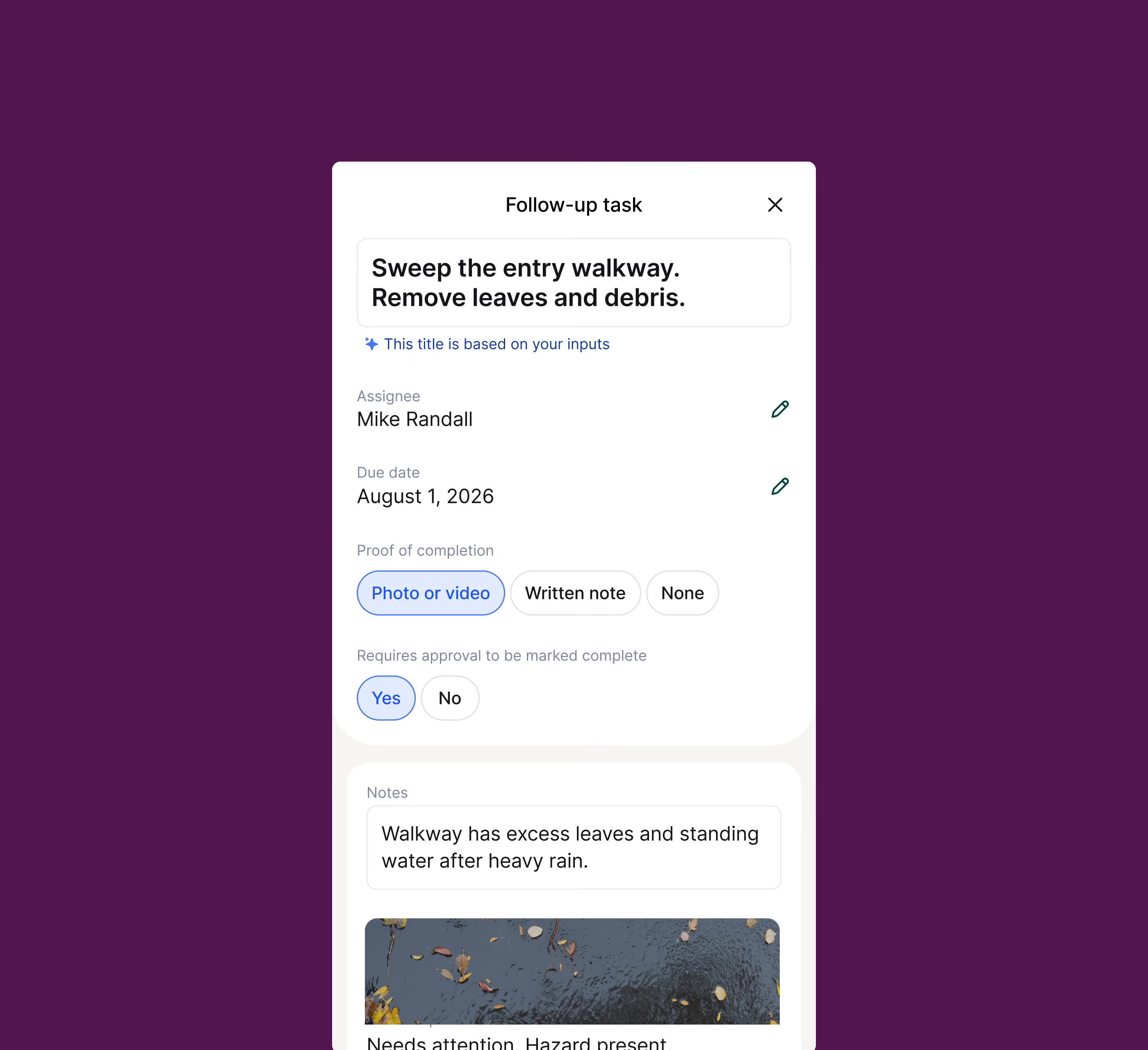
We get that “it depends”. That’s why the auditor decides what to fix, who owns it, and by when.
Track every fix until it’s really fixed
The store team submits the task when fixed. Auditor can require approval to verify it’s fixed to spec.
Frequently asked questions
What kinds of audits can I build in Opus?
Teams use Opus for brand standards audits, food safety walk-throughs, franchise site visits, new store opening checks, and any other scored evaluation that requires follow-through.
How do follow-up Tasks work?
When an auditor flags an issue during an Audit, they assign a follow-up Task to a specific person at that location with a due date. The assignee gets a push notification, documents the fix with photos, and submits it back for review. The auditor approves or rejects each fix, and the full record lives inside the original audit submission.
Who can complete Audits?
Anyone assigned in Opus can complete an Audit. The auditor is usually a field leader like a regional manager or franchise business consultant. Store teams complete the Tasks assigned to them. Admins build audits, set schedules, and view reporting from the dashboard.
How is this different from Opus Checklists?
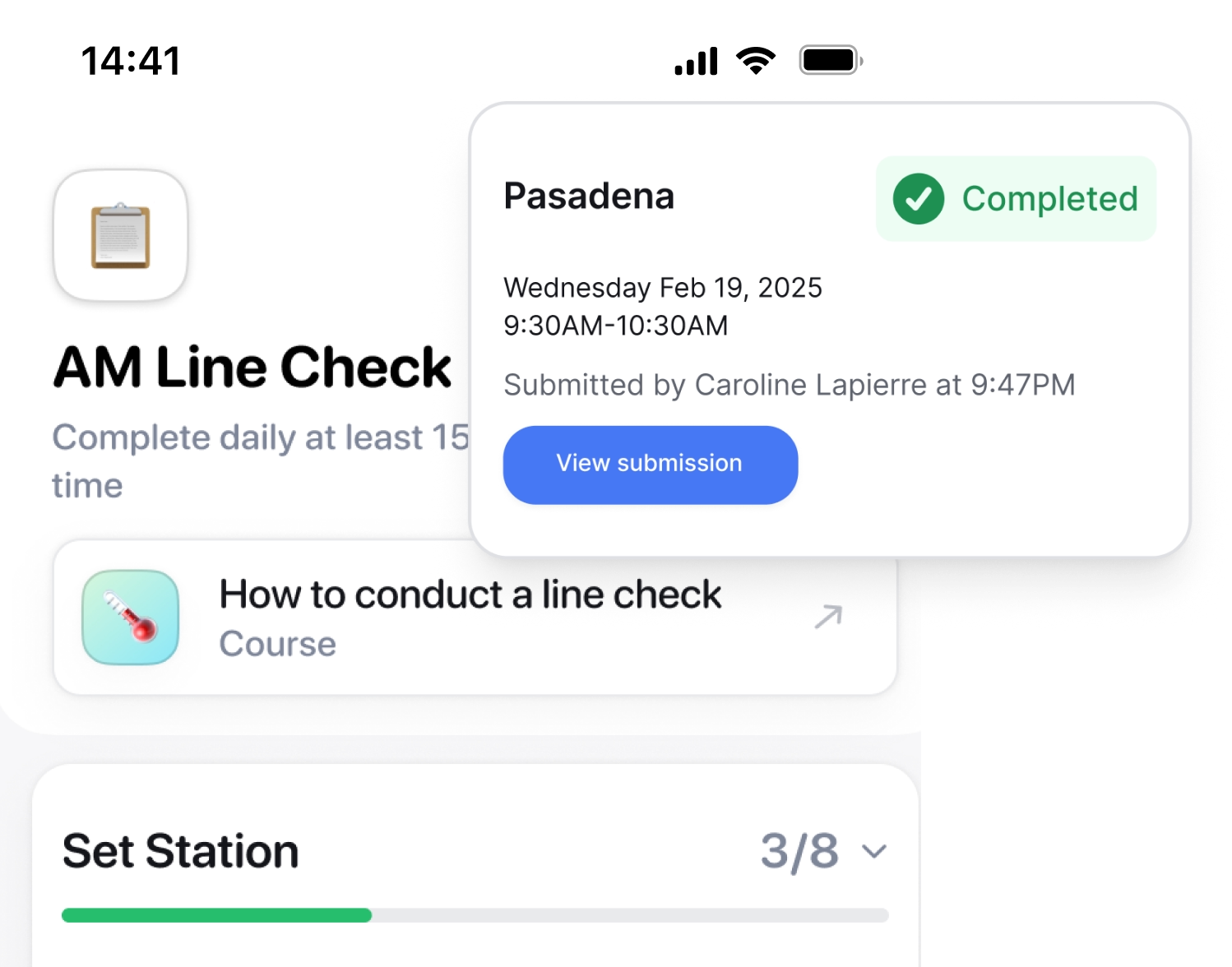
Audits are scored and built for evaluation. They measure standards, document findings, and create a formal accountability record. Checklists are your daily operations tool, guiding your team through routine work step by step. Both live in Opus, they just serve different jobs.
How does reporting work?
Reporting is tailored to your role, so you only see what's relevant to you. Whether you're checking one location or tracking dozens, the data surfaces what needs attention so you know where to act. And because it sits alongside your training and other Opus tools, everyone sees standards across the business in one place.
Can multiple team members contribute to an Audit?
Yes. Multiple people can work through an Audit simultaneously. Each step records which team member completed it. Real-time updates keep everyone in sync so work isn't duplicated.
Other opus products
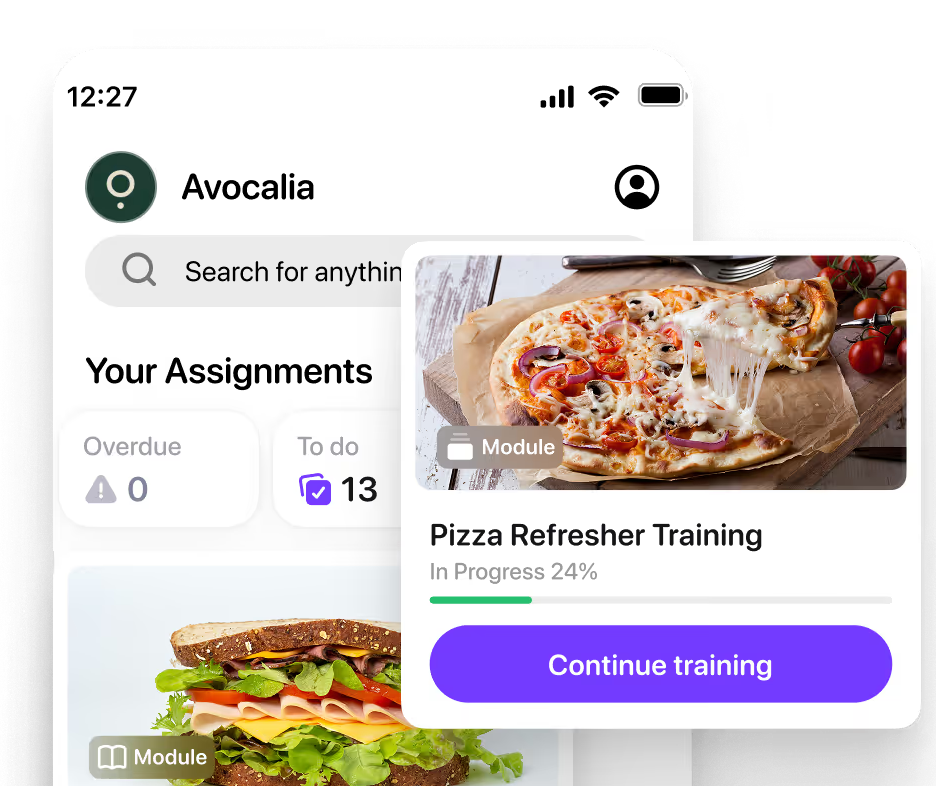
Find more ways to reinforce standards
See what else supports day-to-day learning.
Ready for
what’s next?